Teacher Portal
Teacher App
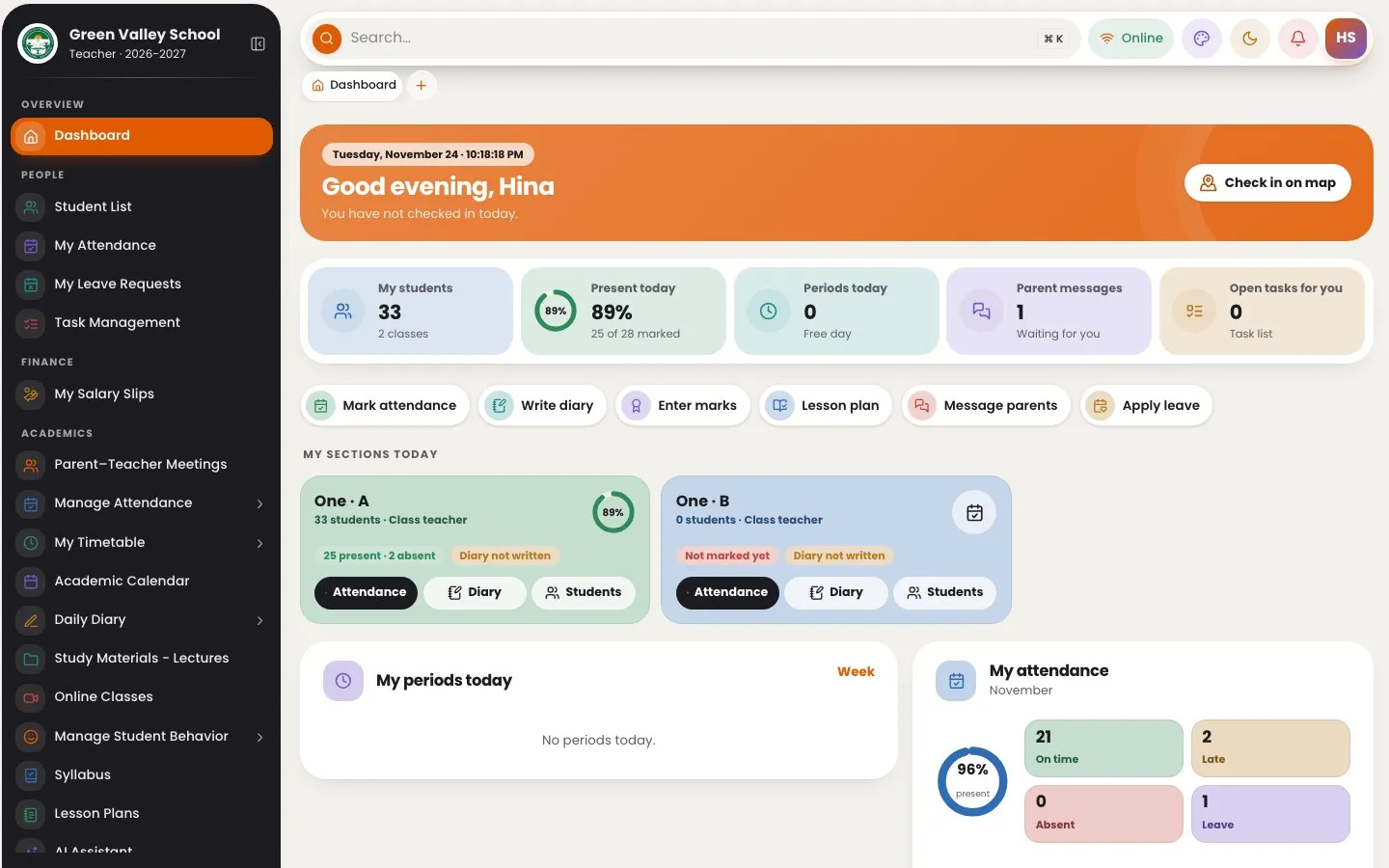
Teachers should not wade through the whole school to do their work. In Educationist each teacher sees their own timetable, their own subjects and, for class teachers, their own section — nothing more.

What it does
- Today's periods and any substitution
- Attendance for the class teacher's section
- Marks and remarks for their own subjects
- Homework diary with pictures and next-day homework checking
- Lesson plans and syllabus coverage, with optional AI drafts
- Study material, online classes and quizzes
- Their own check-in, attendance and salary slips
- Messages from parents for the class teacher
Step by step
How it works
Start the day
Periods, attendance status and parent messages on one screen.


Take attendance
For the class teacher's own section.


Marks and diary
For the subjects the teacher teaches.


More screens


Questions about teacher portal
Can a subject teacher change the class attendance?
No. Attendance, behaviour and the student list belong to the class teacher; subject teachers work on their own subjects.
Works together with
Homework Diary
Each teacher writes the day's homework with pictures; the class teacher sends the diary to parents on WhatsApp, and homework is checked the next day.
Exams & Result Cards
Date sheets, roll number slips, marks entry by subject teachers, automatic grades and positions, tabulation sheets and result cards parents can keep.
Parent–Teacher Meetings
Plan PTM days, let parents book a time, record each meeting with academic and behaviour review, assign follow-up actions and track PTM coverage.
Your school on Educationist — first month free
Create your account in two minutes. No card, no payment — every feature of your package from day one.