Class Tests
Class Test Record Software
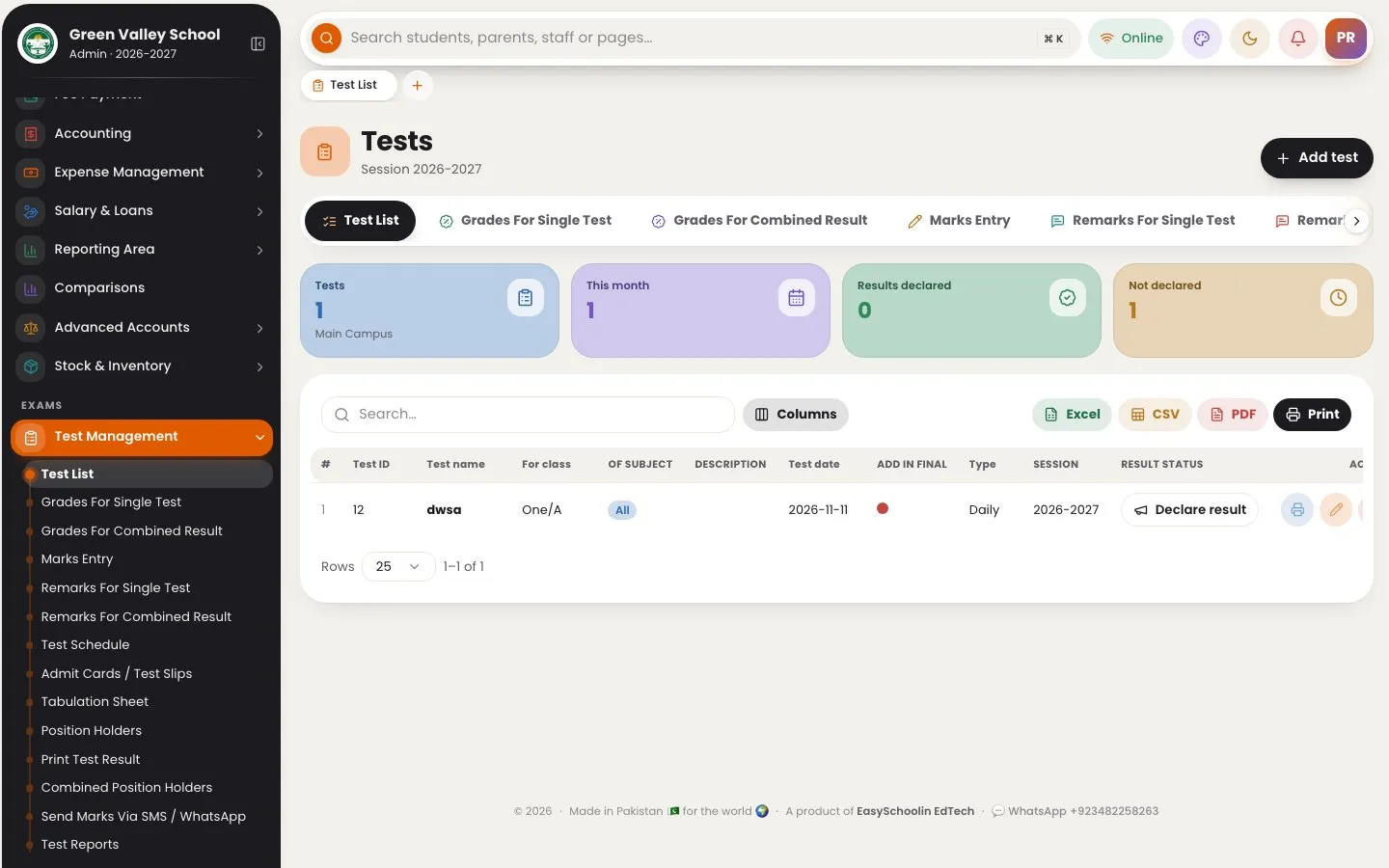
Weekly tests tell you far more about a child than one exam. Teachers add their own tests, enter the marks the same day, and at the end of the month Educationist turns all of them into one combined result with positions — ready for the PTM.

What it does
- Daily, weekly and monthly tests for one subject or all subjects
- Teachers add tests for their own sections
- Test schedule printed or shared on WhatsApp
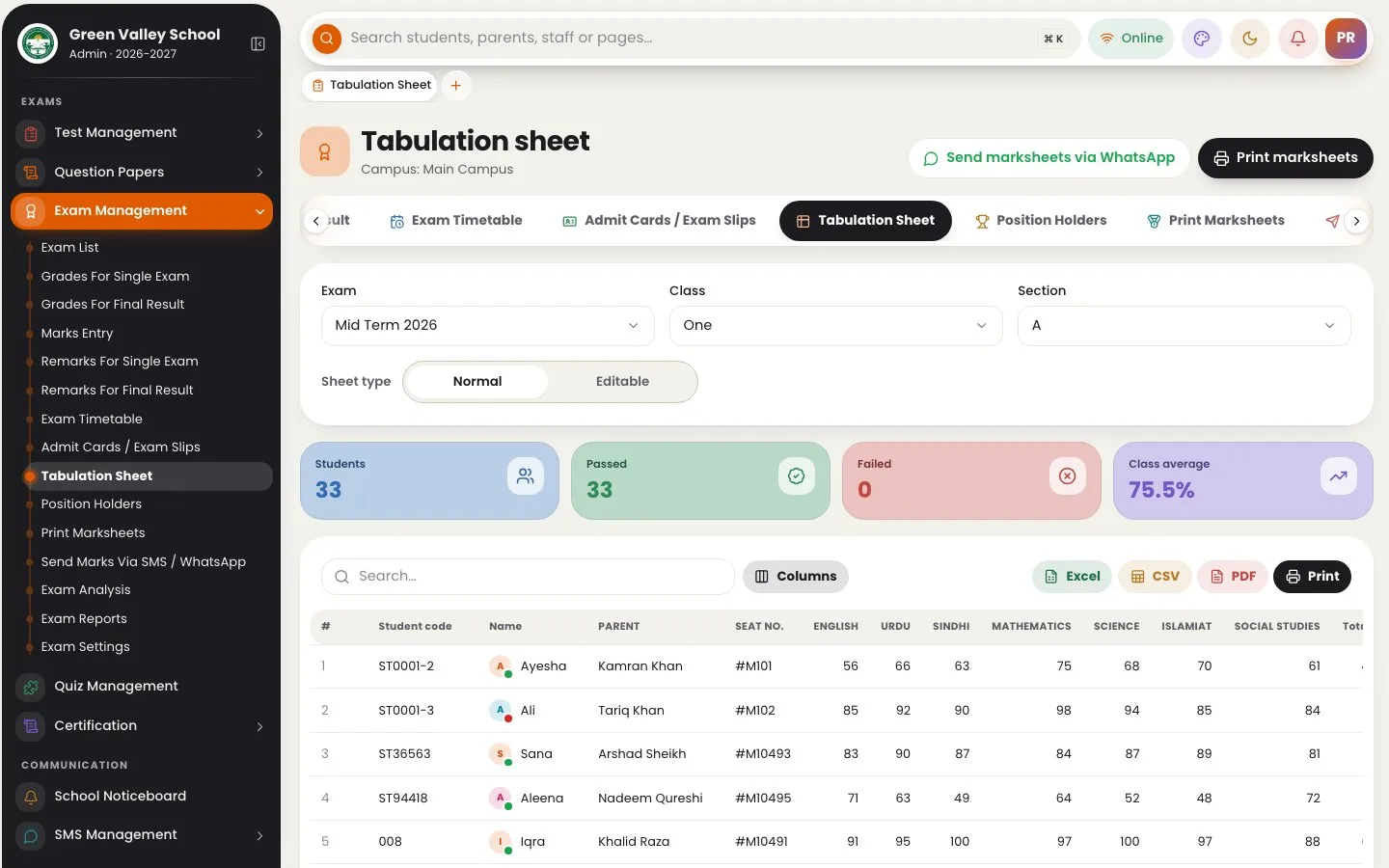
- Marks, remarks, tabulation and position holders for every test
- Combined result of all tests between two dates
- Test marks sent to parents
- Slips for the students sitting a test
Step by step
How it works
Add the test
Class, section, subject and date — teachers add their own.
Enter marks
The subject teacher fills one sheet.


Share the result
Print it or send the marks to parents.

More screens


Questions about class tests
Can test marks count in the final result?
Yes. Tick "add in final" on a test and it is counted in the combined result for the dates you choose.
Works together with
Exams & Result Cards
Date sheets, roll number slips, marks entry by subject teachers, automatic grades and positions, tabulation sheets and result cards parents can keep.
Teacher Portal
Teachers mark attendance, enter marks, write the diary, check homework and plan lessons — only for their own sections and subjects.
Parent–Teacher Meetings
Plan PTM days, let parents book a time, record each meeting with academic and behaviour review, assign follow-up actions and track PTM coverage.
Your school on Educationist — first month free
Create your account in two minutes. No card, no payment — every feature of your package from day one.