Timetable
School Timetable Maker
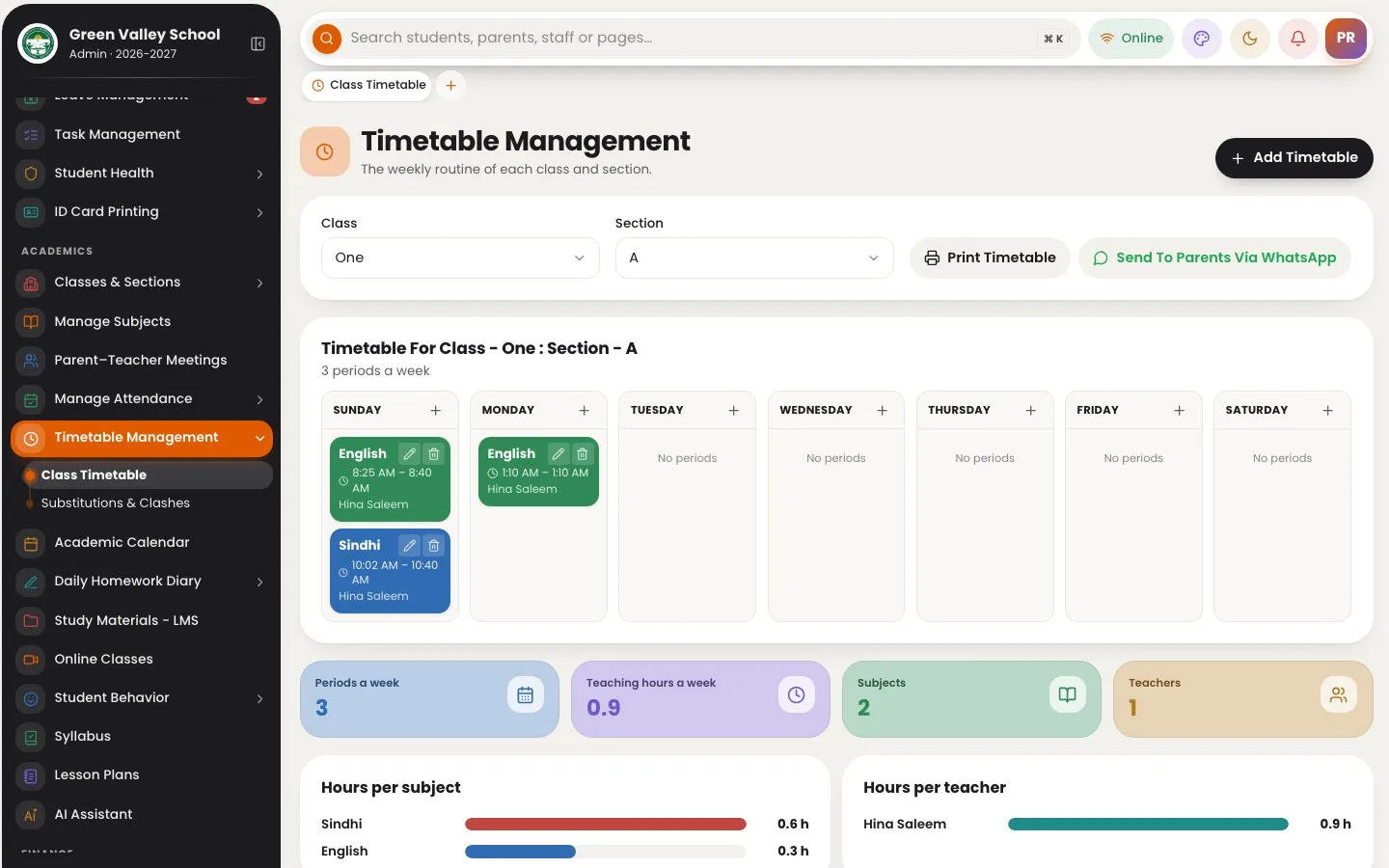
Make each section's timetable once; every teacher sees their own day, and when someone is absent the substitute period is arranged and appears on the right teacher's phone.

What it does
- Section timetables with periods and subjects
- Every teacher's own weekly timetable
- Substitutions for absent teachers
- Academic calendar, holidays and events
- Visible to parents and students
Step by step
How it works
Build the timetable
Periods, subjects and teachers for each section.
Everyone sees their own
Teachers, students and parents in the app.


More screens

Questions about timetable
Does the substitute teacher get told?
Yes, it appears in their portal under My Substitutions.
Works together with
Teacher Portal
Teachers mark attendance, enter marks, write the diary, check homework and plan lessons — only for their own sections and subjects.
Attendance
Attendance by the teacher's phone, ID-card QR scan at the gate, or fingerprint and face machines — and an absent alert to the parent within minutes.
Homework Diary
Each teacher writes the day's homework with pictures; the class teacher sends the diary to parents on WhatsApp, and homework is checked the next day.
Your school on Educationist — first month free
Create your account in two minutes. No card, no payment — every feature of your package from day one.