Salaries & HR
School Salary Software
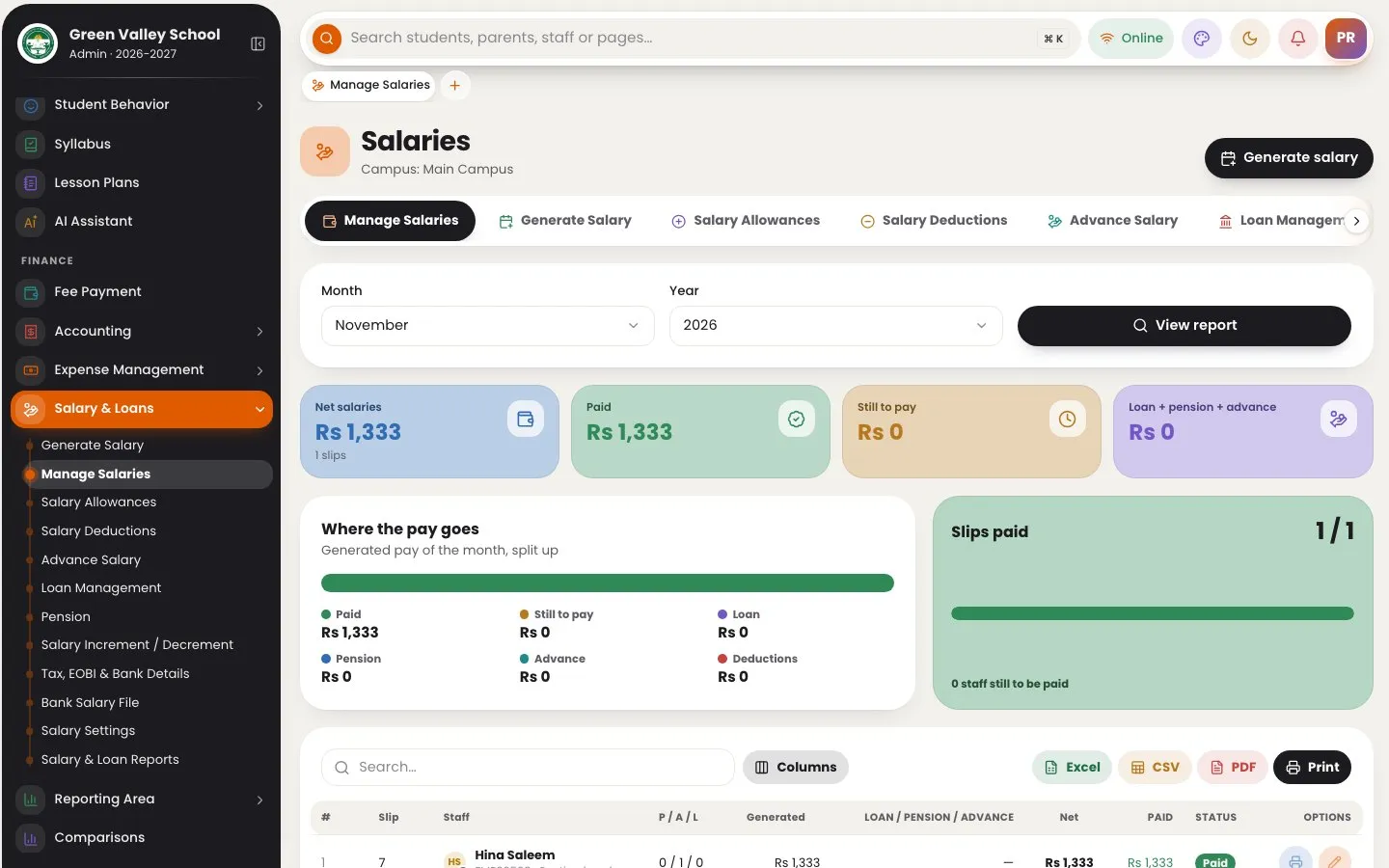
Salary day should not need a calculator and a register. Educationist works out each salary from attendance — absences, half days and late arrivals by your own rule — takes advances, loan instalments and deductions, and prints the slips.

What it does
- Staff profiles, documents and departments with their own timings
- Late rule your way: a fixed amount, a percentage, or "every 3 lates = 1 day"
- Advances and loans recovered from the coming salaries
- Security deposit kept from salaries, shown on slips and returned when staff leave
- Bonuses, deductions, pension, income tax and EOBI
- Bank file for paying all salaries at once
- Leave requests and approvals
- Salary slips printed or seen by staff in their portal
Step by step
How it works
Generate salaries
From staff attendance, with advances and loan instalments taken.
Print slips
A slip for every staff member.

Questions about salaries & hr
Can late arrivals cut salary automatically?
Yes. Choose a fixed amount, a percentage, or a rule such as every 3 lates count as one day — set once in Salary settings.
Works together with
Accounts & Reports
Income and expenses, vendor bills spread over months, bank and cash, balance sheet, campus comparison and a daily summary for the owner.
Attendance
Attendance by the teacher's phone, ID-card QR scan at the gate, or fingerprint and face machines — and an absent alert to the parent within minutes.
Teacher Portal
Teachers mark attendance, enter marks, write the diary, check homework and plan lessons — only for their own sections and subjects.
Your school on Educationist — first month free
Create your account in two minutes. No card, no payment — every feature of your package from day one.